Know what needs you today
Today picks the single most urgent step across every job, then lists the rest. Mark each project as waiting on you or on the client in one tap.
Free while in beta
Fundur runs your projects through a phase-by-phase workflow, tells you what needs you today, and puts an AI assistant beside every step. It is built first for interior designers running corporate fit-outs.
No card needed. Every feature is free for everyone during the beta.

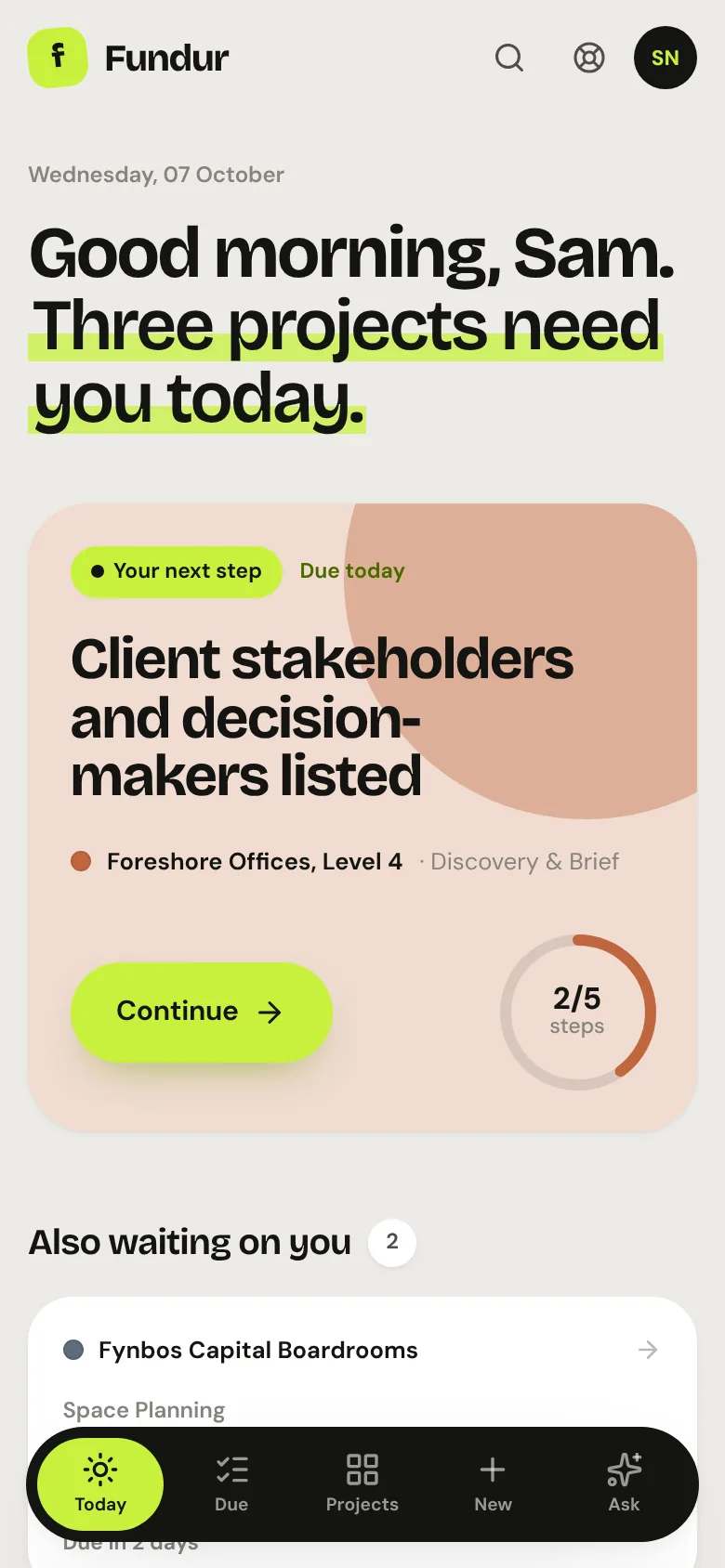
Real screens from the app, shown with sample projects.
Why Fundur
Most tools either track tasks or automate clicks. Fundur holds the whole process: the phases, the steps, the documents and the decisions, with AI help that knows the project.
Today picks the single most urgent step across every job, then lists the rest. Mark each project as waiting on you or on the client in one tap.
Each project follows a workflow of phases and steps. Essentials must be ticked before a phase completes, and what one phase decides is handed to the next.
AI drafts the brief from your meeting notes and answers questions with the project in mind. Nothing changes until you approve it, and every AI action shows what it cost.
The first workflow
Fundur's first workflow is built with a practising interior designer and follows a real fit-out from the first site visit to handover. A UX & product design workflow is ready too, and you can adapt either or build your own.
Site visits, client interviews, headcount, department adjacencies, budget, and structured brief synthesis.
Test-fit layouts on floor plate, circulation, room areas, and clearance rule checks.
Mood boards, materiality, visual palette, and finish tagging.
Construction coordination, schedules, specifications, and building regulation pre-checks.
Supplier quotations, RFQ generation, purchase order pipeline, and budget tracking.
Installation sequencing, on-site snag list resolution, client walkthrough and project handover.
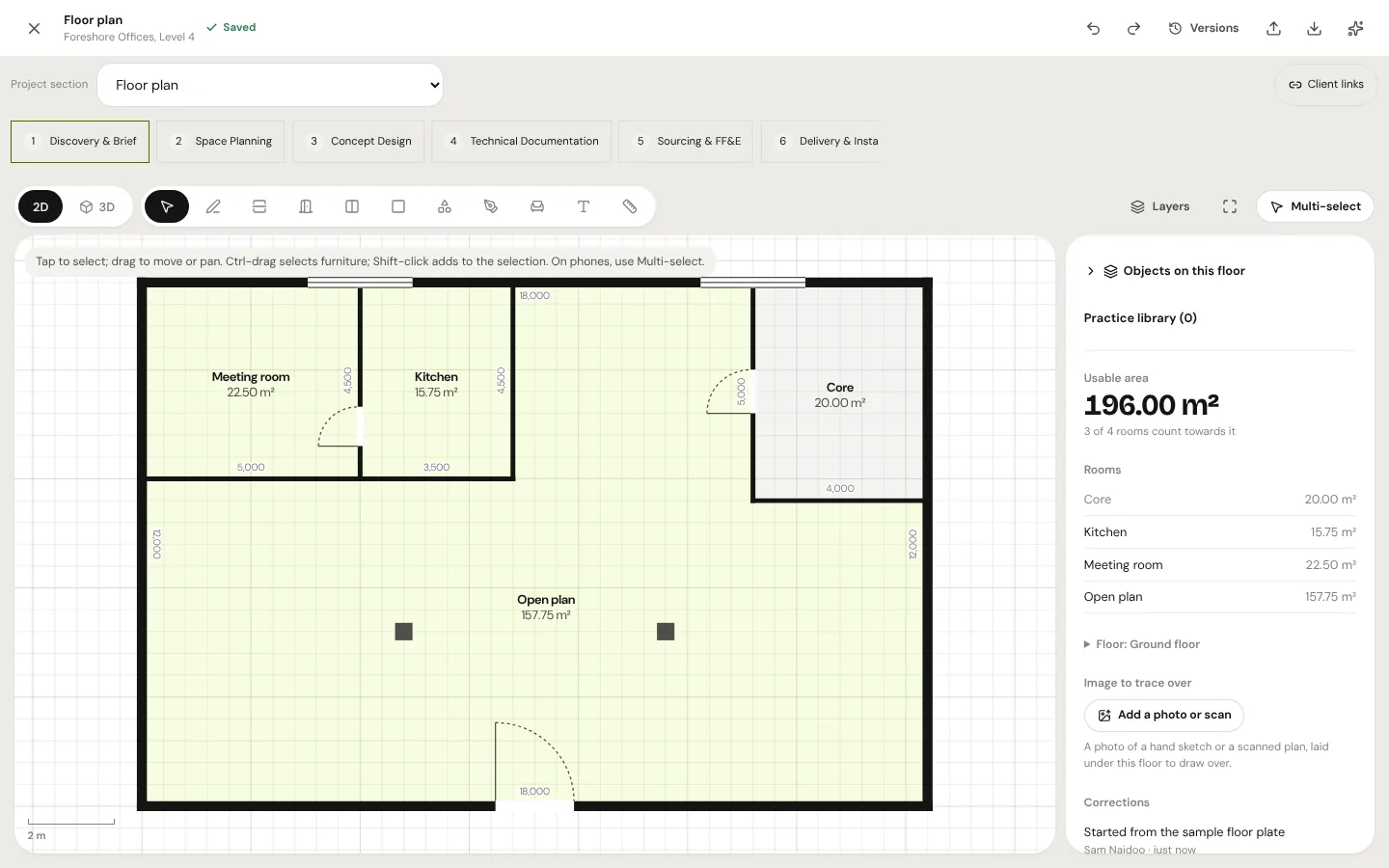
Floor plan editor
Walls, partitions, doors, windows, columns and rooms with live areas, plus furniture, notes and dimensions. Type exact lengths, trace over a photo or scan, or import a DXF file. Every saved version exports to DXF and IFC for your CAD and BIM tools.
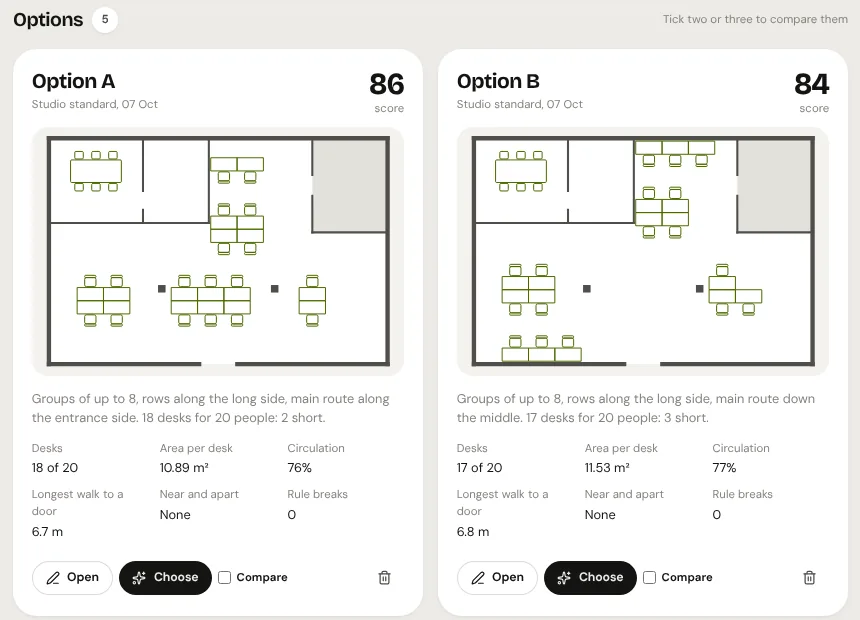
Layout options
Set desk sizes, aisles and routes once as layout rules. Fundur lays out desks for the brief's teams several ways and scores each one on desks, area per desk, circulation, walking distance and rule breaks. Compare them, open one to adjust it, then choose one to carry into concept.
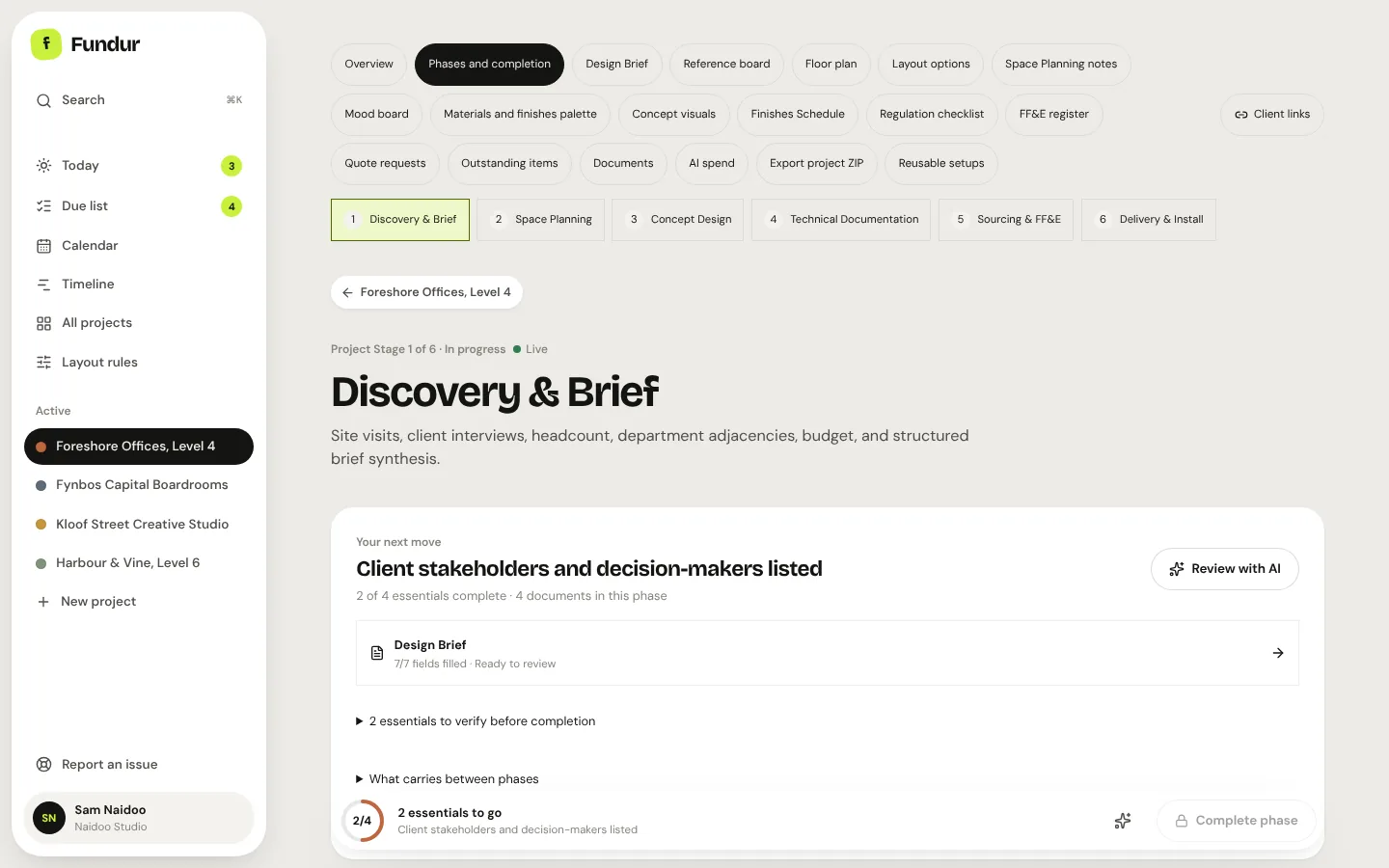
Phases and steps
Each phase lists its steps with due dates, the tools it needs and AI help for each step. A bar at the bottom tracks what is still essential, and completing a phase opens the next with everything handed over.
AI in Fundur
Fundur works with models from Anthropic, OpenAI, Google, xAI and hundreds more through OpenRouter. Simple jobs go to quicker models and the important ones get a review by a stronger model.
How we use AIAlso inside
Every dated step across projects. Drag a phase on the timeline and its steps move with it.
Upload files to the phase they belong to, from a computer or a phone camera, and keep every version.
Private live or frozen links with your own branding. Clients comment and approve, even on a phone.
Find projects, clients, documents, briefs and notes from one box with ⌘K.
Phone layouts for site visits, with photos straight from the camera.
Mood boards, AI concept visuals, schedules, quotes, deliveries and snags, all in the project.
Your workspace is backed up every night and backups are kept for 30 days.
Edit phases, steps and forms, or describe how you work and let AI draft a workflow for you to review.
Pricing
Use every feature at no cost while Fundur is in beta. Paid plans come later; we will publish the pricing and tell you before anything changes. Nothing is ever charged automatically.
Beta
R0 during the beta
Questions
Yes. Everything is free during the beta, and you don't need a card to sign up. When paid plans launch we will publish the prices and give you notice first; you decide whether to continue.
No. Fundur comes with workflows for corporate interior fit-outs and for UX & product design, and you can edit them or build your own, by hand or by describing your process to the AI workflow builder. Interior design is where it is most complete today.
You can import DXF plans and export every saved version as DXF or IFC. For DWG, Revit or PDF plans, save a DXF copy from your CAD software for now; reading those formats directly is planned.
Fundur sends only what an AI action needs to the AI provider chosen for that task, such as Anthropic, OpenAI, Google, xAI or a model through OpenRouter. Read how we use AI and our privacy policy for the details.
Projects are kept in a Neon database and files in private Vercel Blob storage, both reached only through your signed-in account. Sign-in is handled by Auth0. We never sell your information.
Yes. Fundur has phone layouts for the screens you use on the move, and you can add photos straight from your phone's camera.
Join the beta today and help shape what Fundur becomes.